XAPK Installer
Install .xapk and split APK bundles on Android, expansion files included.
- Platform
- Android
- Version
- 1.0.0
- Updated
- 24 Oct 2026
- Size
- 16.6 MB
Download
-
Android
Download
Debug build, version 1.0.0.
SHA-256 checksum
eb837583f111dad7b20b58e1f5c9e954cefde6d5c0a999f51231c8ca2db2e5a8Check the file after downloading with
sha256sum xapk-installer-1.0.0-debug.apk.
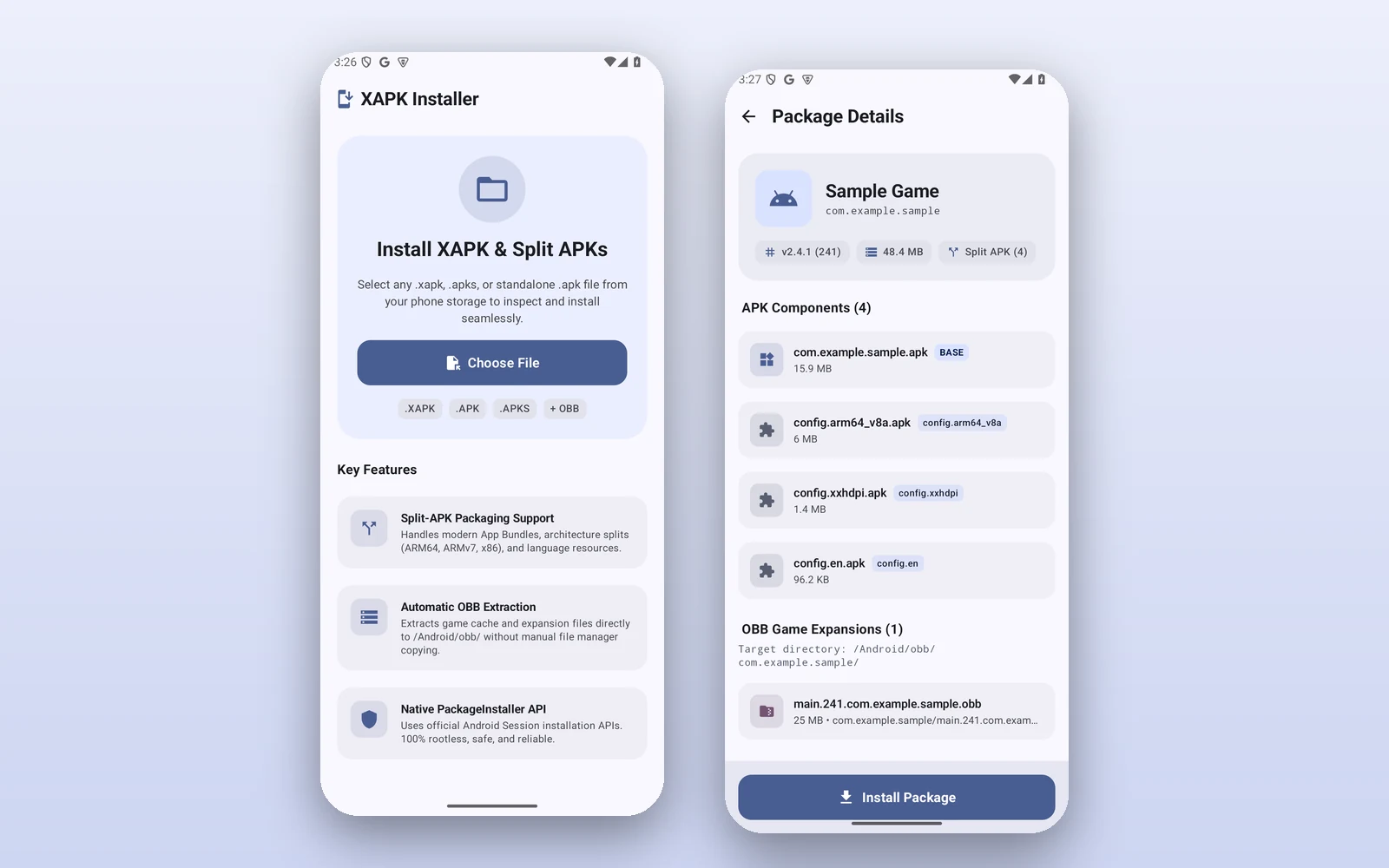
Some Android apps and games come as a single .xapk file: several APKs and, often, a large OBB data file that has to go in a particular folder. XAPK Installer unpacks one, shows you what is inside, copies the OBB files into place and hands the APKs to Android's own installer.
It needs no root access. Before anything is installed, a details screen lists the app's name, package and version, how big it is, every APK and OBB file it contains, and the permissions it asks for.
What it does
- Installs .xapk, .apks and single .apk files you pick from your storage or open from a file manager
- Installs base APKs and their ABI, screen-density and language splits in one go, with Android's PackageInstaller sessions
- Copies OBB expansion files to Android/obb/<package> before installing
- Reads the manifest of APKPure and APKCombo bundles, and works out the contents of bundles that have none
- Keeps working if you switch to another app, shows progress, and says clearly when something fails
Install
-
Download the APK on your phone, or copy it there from a computer.
-
Open it. If Android says it cannot install apps from this source, allow it for the browser or file manager you used, then open the file again.
-
Open XAPK Installer, choose a file and tap Install Package.
You need
- Android 7.0 or newer
- Permission to install unknown apps, which Android asks you for on first use
- “All files access”, only for bundles that contain OBB files (Android 11 and newer)
Good to know
- This is a debug build, the kind Android Studio makes, not a Play Store release.
- Google Play Protect may ask to scan it first, as it does for any app from outside the Play Store.
Screenshots
-
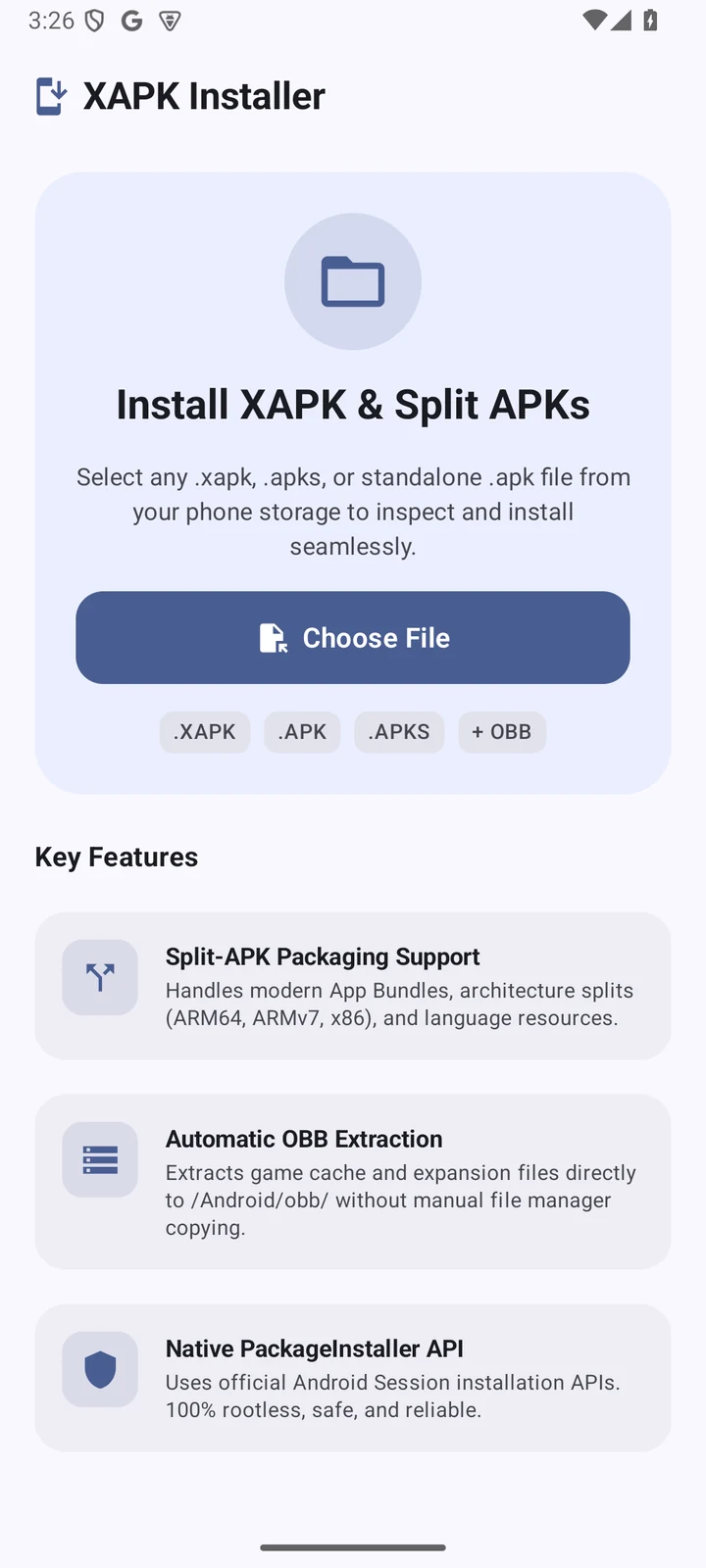
The first screen. Choose a file, or open one from your file manager. -
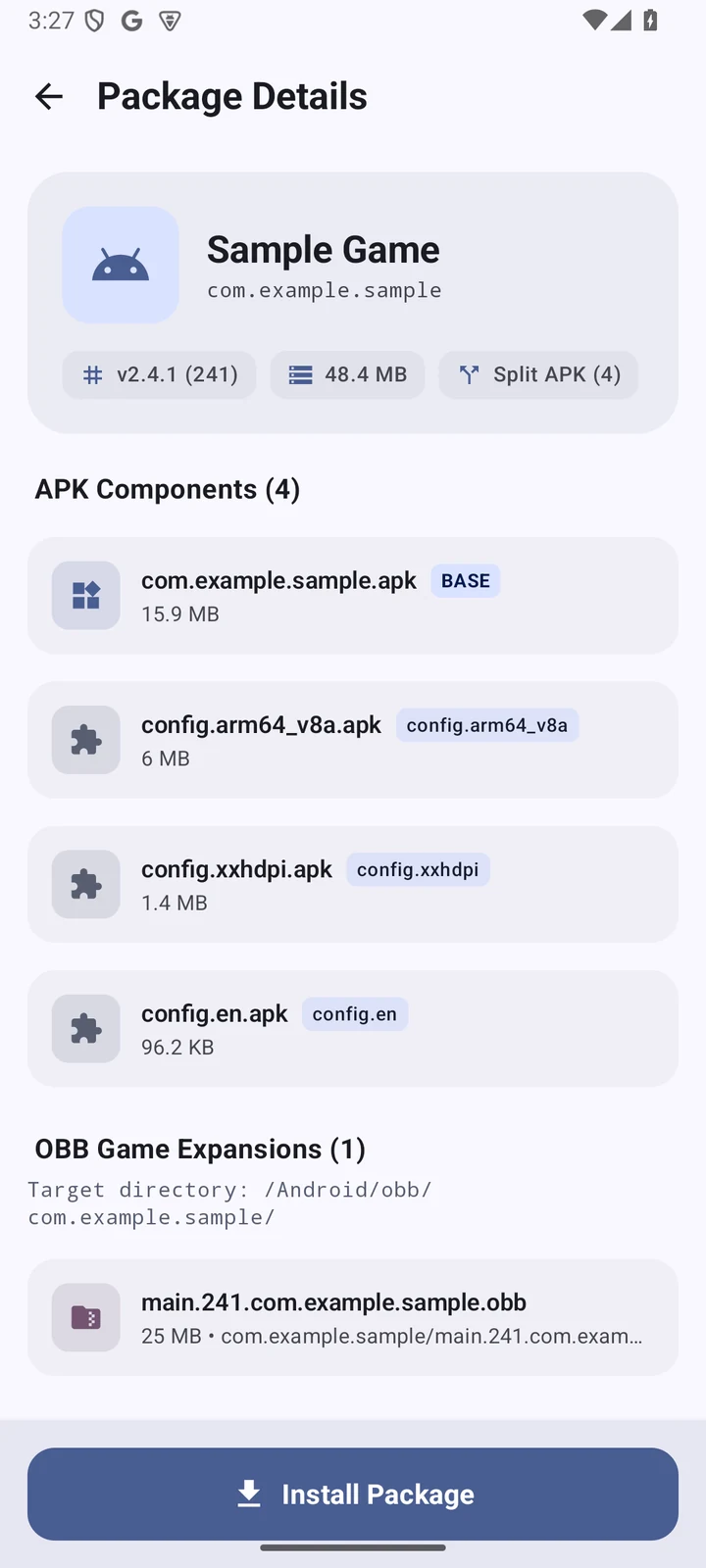
Package details, before anything is installed.
Screenshots were taken on an Android 15 emulator. The package shown is a made-up sample.