Ubuntu System Monitor
CPU, memory, disk and GPU readings, live, in one window.
- Platform
- Linux
- Version
- 1.0.0
- Updated
- 4 Nov 2026
- Size
- 49 KB
Download
-
Linux
Download
Source and launcher scripts, ready to run.
SHA-256 checksum
88cf19975f081f222a809926348ea9af0e5a4e621002f3fb8307ffc2f8c971bdCheck the file after downloading with
sha256sum pc-monitor-1.0.0.tar.gz.
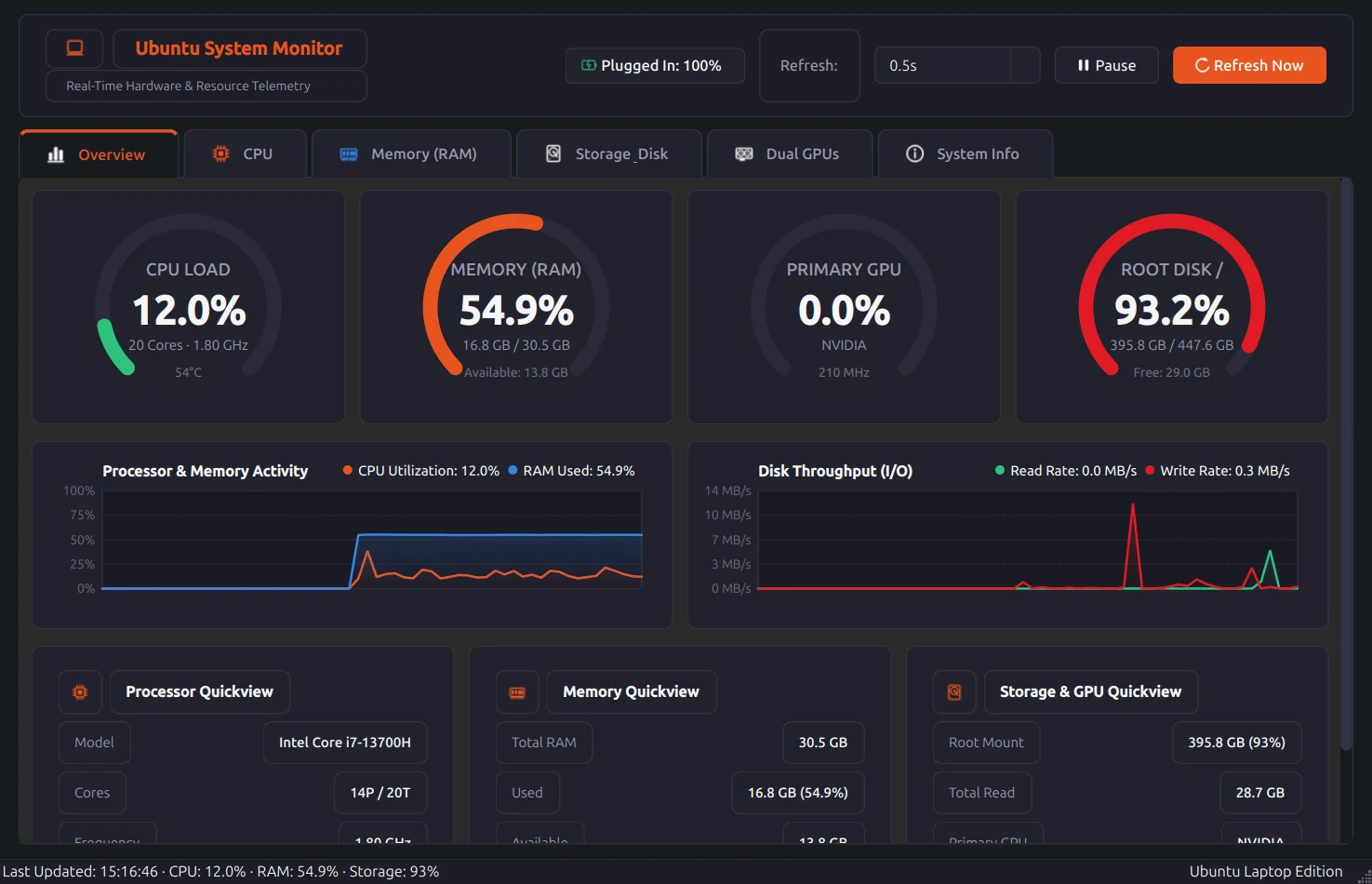
A system monitor for Ubuntu laptops. Gauges and 60-second charts show the processor, memory, swap, disks, both graphics cards and the battery, and a folder explorer lists what is using your disk, largest first.
It reads Linux's own counters (/proc, sysfs) and NVIDIA's tools, so it needs no daemon and no root access. The window is dark, and it refreshes every half second to every five seconds.
What it does
- Overall and per-thread CPU load, clock speed, temperatures and load average
- RAM and swap, with cache and buffers broken out
- Every mounted partition, plus live disk read and write rates
- A folder and file size explorer that scans only when you press Scan, on a background thread you can stop
- Intel and NVIDIA GPUs together, including the NVIDIA card's idle power state
- Battery level and whether the charger is connected
- Refresh rate you choose, a pause button, and a command-line option to open on any tab
Install
-
Extract the download and open the folder.
tar xzf pc-monitor-1.0.0.tar.gz cd pc-monitor-1.0.0 -
Install the two Python packages.
sudo apt install python3-psutil python3-pyqt6 -
Run it from the folder, or add it to your Applications menu.
./run.sh
./install.sh
You need
- Ubuntu 22.04, 24.04 or a newer Linux
- Python 3.10 or newer
- PyQt6 6.4+ and psutil 5.9+ (the steps below install them)
Good to know
- The program stays where you extracted it: the menu entry and the system-monitor command point into that folder. Run ./install.sh --uninstall to remove them.
More screenshots
-
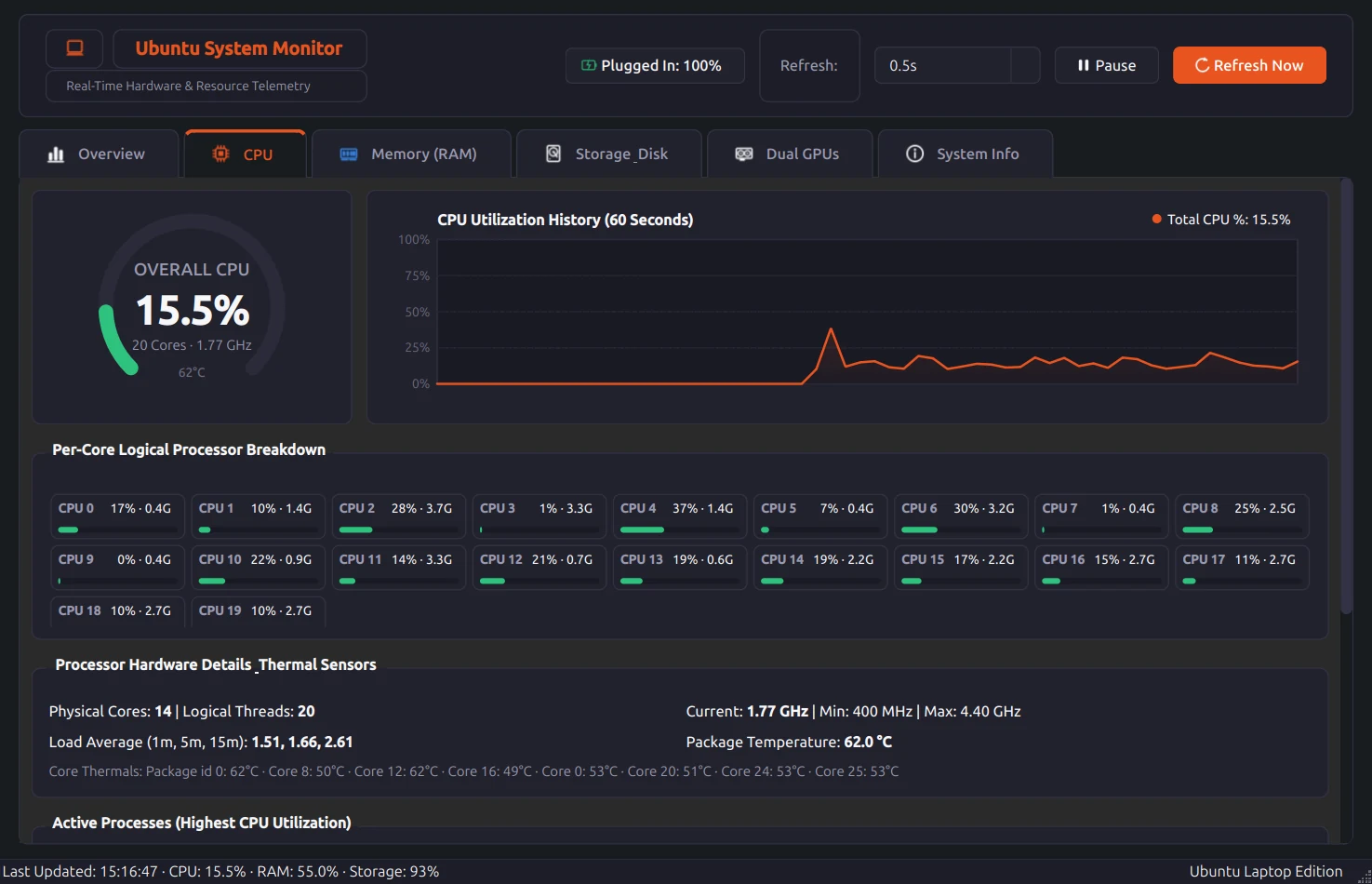
CPU. Load and clock for each thread, with temperatures. -
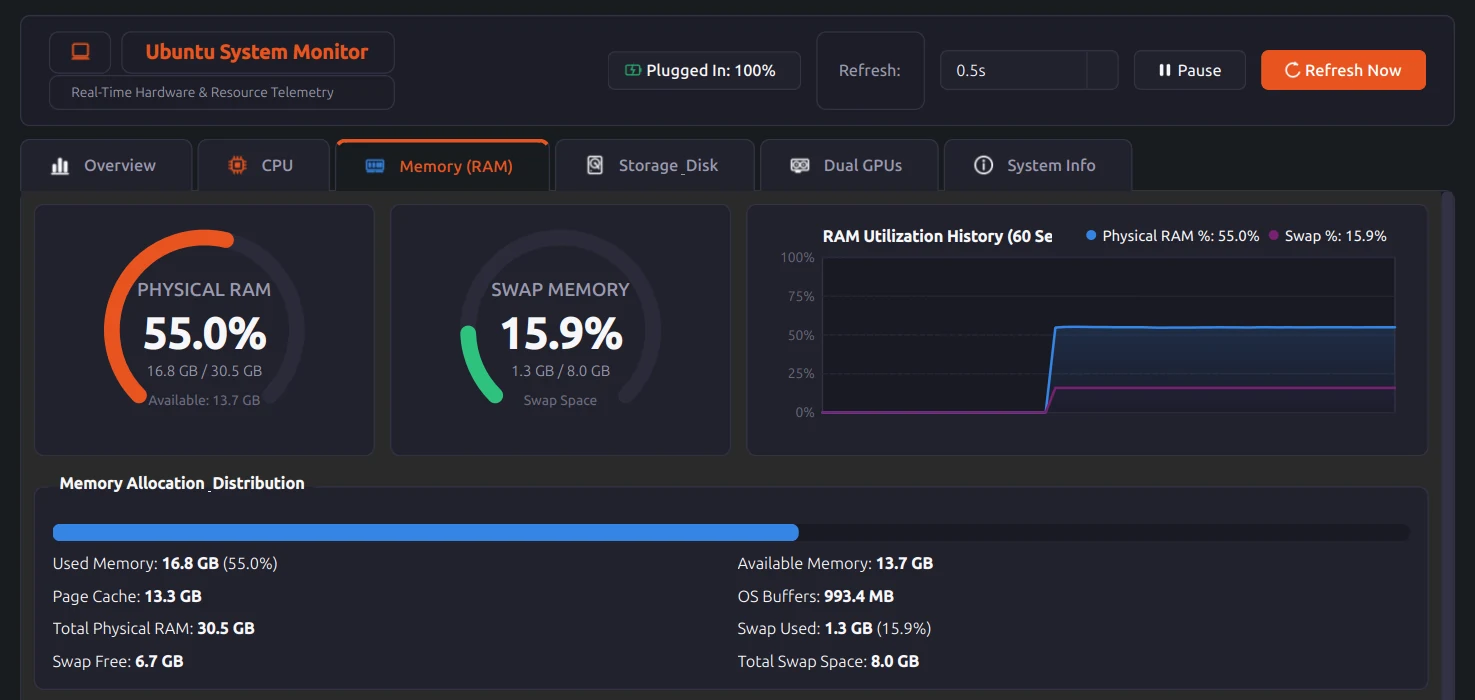
Memory. RAM and swap, with the page cache and buffers broken out. -
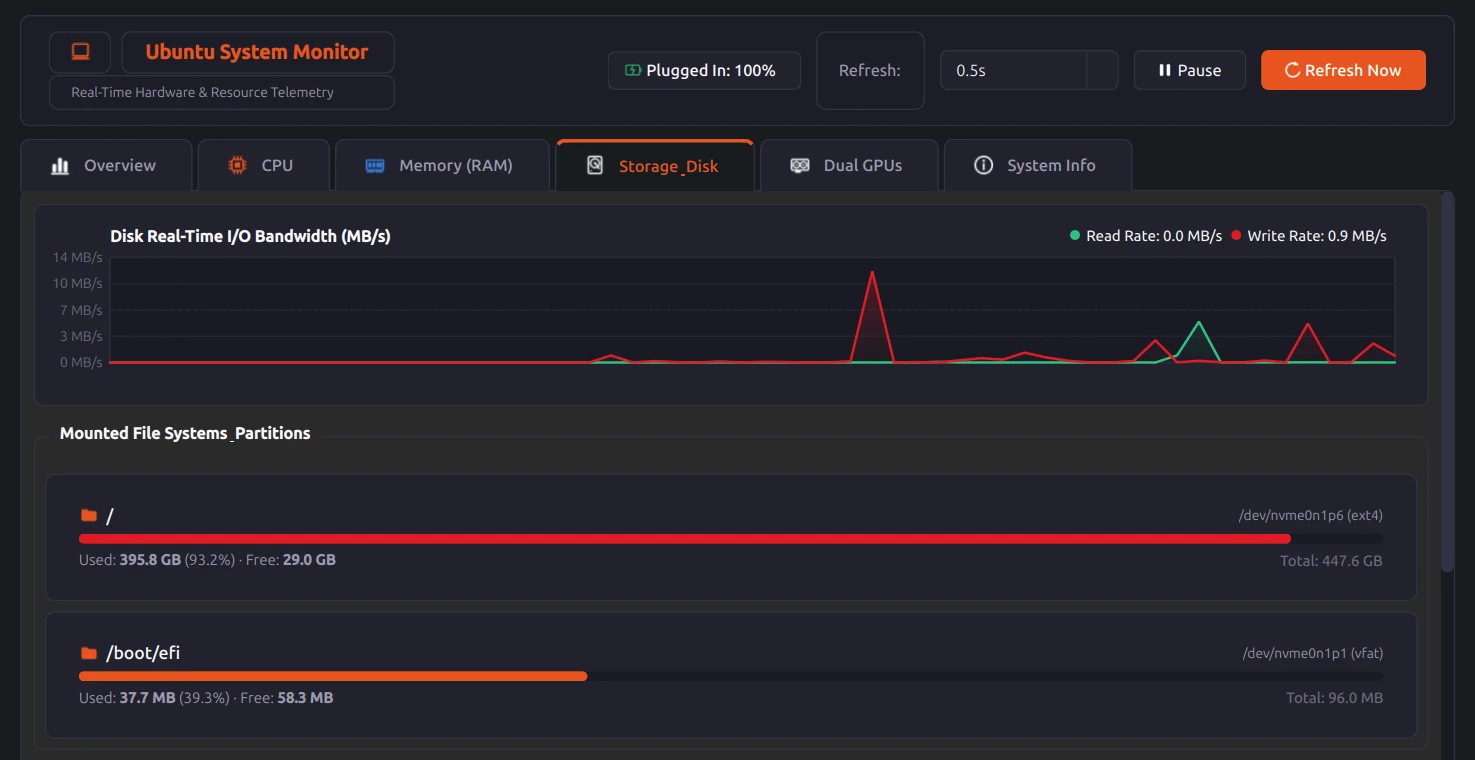
Storage. Each partition's free space, and live read and write rates. -
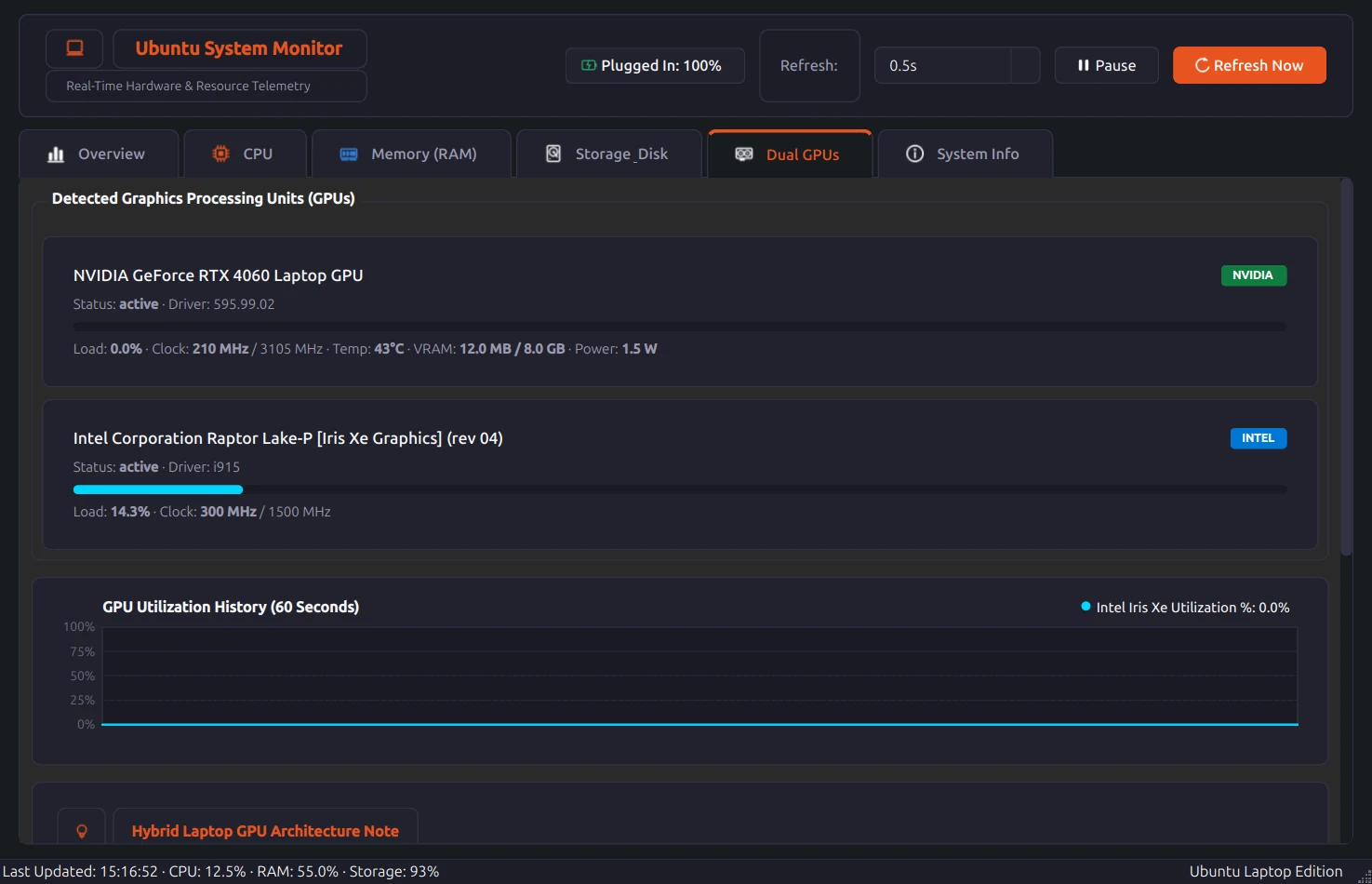
GPUs. The NVIDIA and Intel cards side by side.
Screenshots are from my own laptop.